Personalized.
Connected. Secure.
Delight your customers while lowering your costs with a pay-as-you-go, modern, AI-enriched contact center, native to the cloud and designed for small businesses.
- No up-front payments
- No long-term commitments
- AI included
- AI agent Answers first
- Menu 1 Claims · 2 Billing
- Claims queue 2 waiting
- Claims team 3 available

Complete collaboration portfolio
Set it all up yourself in a few minutes, from your phone or your laptop, and change it whenever your business changes.
Menus
Build each line's menu option by option: send callers to a queue, an outside number or voicemail, and decide what happens when they press nothing.
Queues
Hours, a hold message, a maximum wait and size, and where callers go when it's full: another queue, a number or voicemail.
Teams & agents
Group agents into teams and set which queues each team serves first. Agents take calls in the browser or on their own mobile phone.
Schedules
Work schedules for your agents, plus holidays and closures you set once and apply to one line or all of them.
Prompts
Type a message and it's ready to play, or upload your own recording. Share a link for sign-off. More
Voicemail
Messages land in the right team's inbox with a link to listen, and can be transcribed so you can read them at a glance.
Reports
A live dashboard of every queue and agent, and history: service level, answer and abandon rates, queue and handle times.
AI agent Included
Self-service around the clock: it answers first from your own documents, and hands off when a caller needs a person.
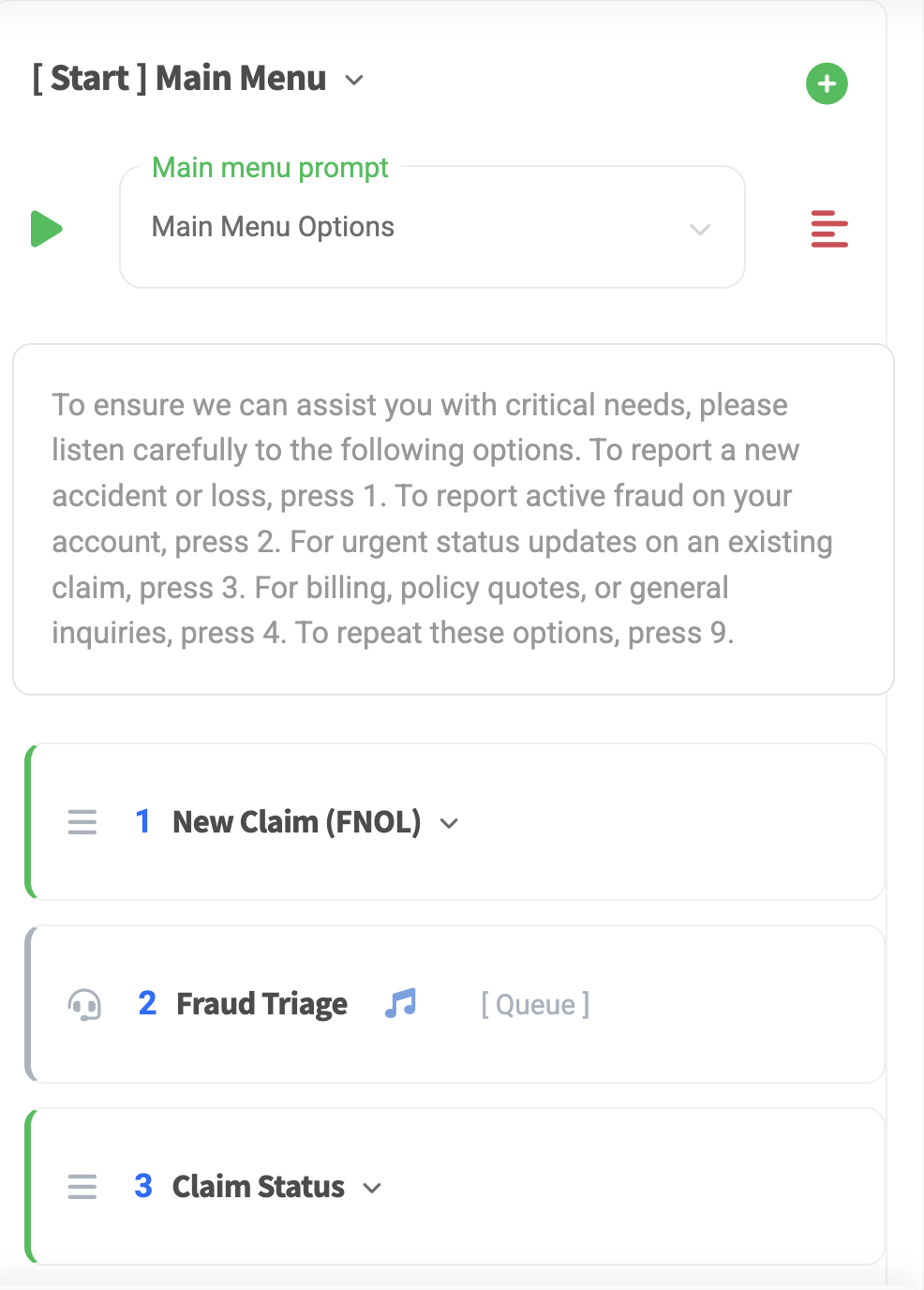
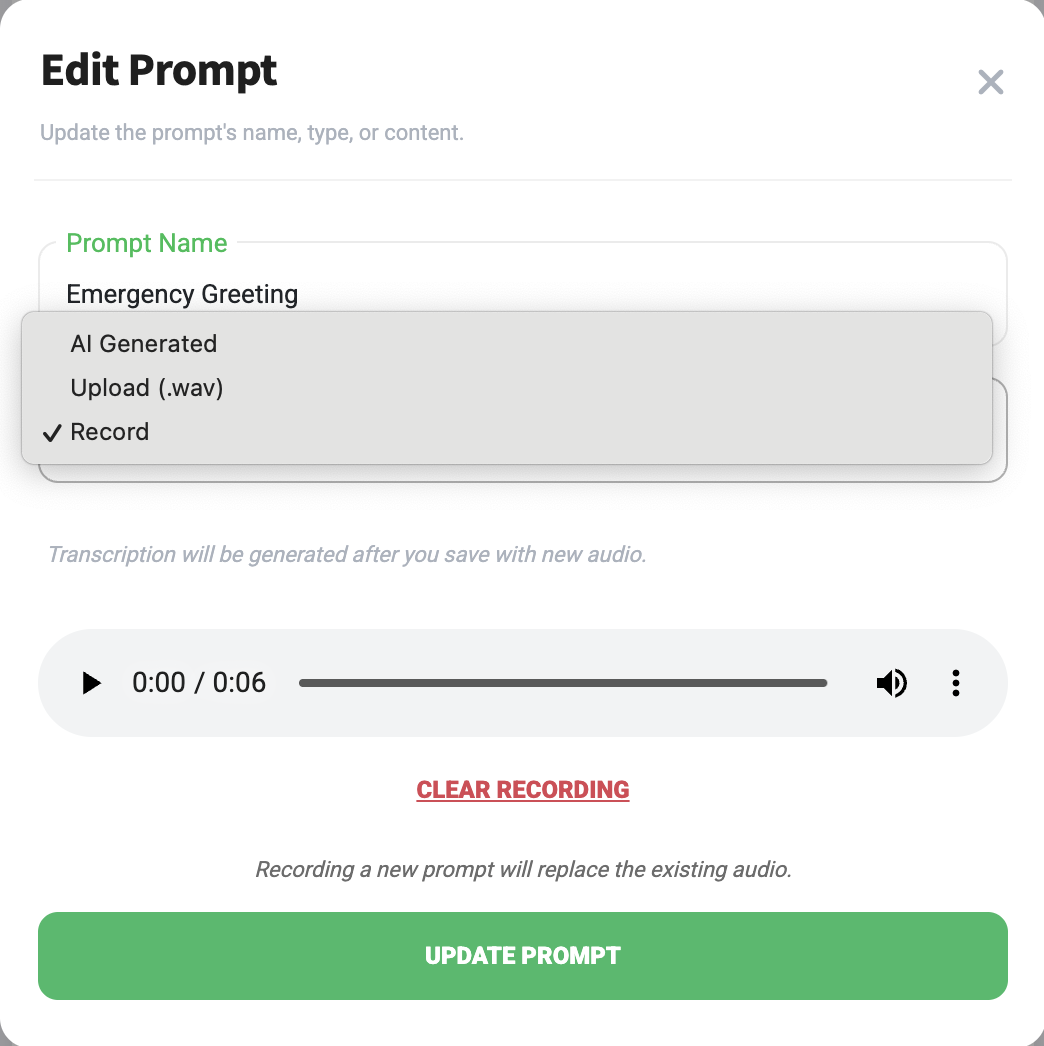
Modern, no-code interface
Your whole contact center, fully managed from your mobile device. No code, no developers, no tickets, no waiting on a vendor to change a menu.
- Build menus, queues and teams, and set up agents in minutes.
- Type a prompt, upload one or record it on the spot.
- Change a greeting in under a minute, right from your phone.
AI assistance
It picks up the moment the call connects and resolves the questions your team hears all day. When the answer isn't in your documents, it says so instead of making one up, and offers to connect the caller with your team.
- You write its instructions and greeting, in plain language.
- It answers from your FAQs and policies: PDF, Word, text or HTML.
- You decide when it hands off, and it goes to your menu and queues.
- Pick a safety level. Card and Social Security numbers are always blocked.
Never a dead call
The AI agent sits in front of your contact center, not in place of it. If it can't help, or isn't available for any reason, the caller goes on to your menu, queues and voicemail, exactly as they would have without it.
Callers reach your team when:
- They ask for a person, at any point in the call.
- Your hand-off rules say so: a new claim, a complaint, anything you choose.
- They don't say anything, so nobody is left in silence.
- The AI agent is unavailable: they get your usual menu, with no dropped call.
- It's after hours: your after-hours message and voicemail.
How it works
No hardware, no software, and no code.
We set up your lines
We open your contact center and phone numbers with you, sized to your team.
Build it your way
Add your teams and agents, queues, schedules, prompts and menus in Nexus.
Add your AI agent
Write its instructions, add your documents and activate it. Within minutes it's answering first.
FAQs
Got a question we haven't answered? Just ask.
See your contact center
Tell us about your team and the calls you take. We'll walk you through a contact center built around them, with an AI agent answering first.
- Nothing to install.
- AI agent built from your own documents.
- A real person replies within 1-2 business days.